

Where lip-sync happens
Talking videos from your own photo are made in Clone Yourself at app.percify.io/home/cloneYourself:- Upload Photo: choose Upload Image (JPG, PNG or WEBP) or Use Camera.
- Add audio with the record button or Upload Audio.
- Choose a Mode (Fast or High) and a quality (480p, or 720p in High mode), then press Generate video.
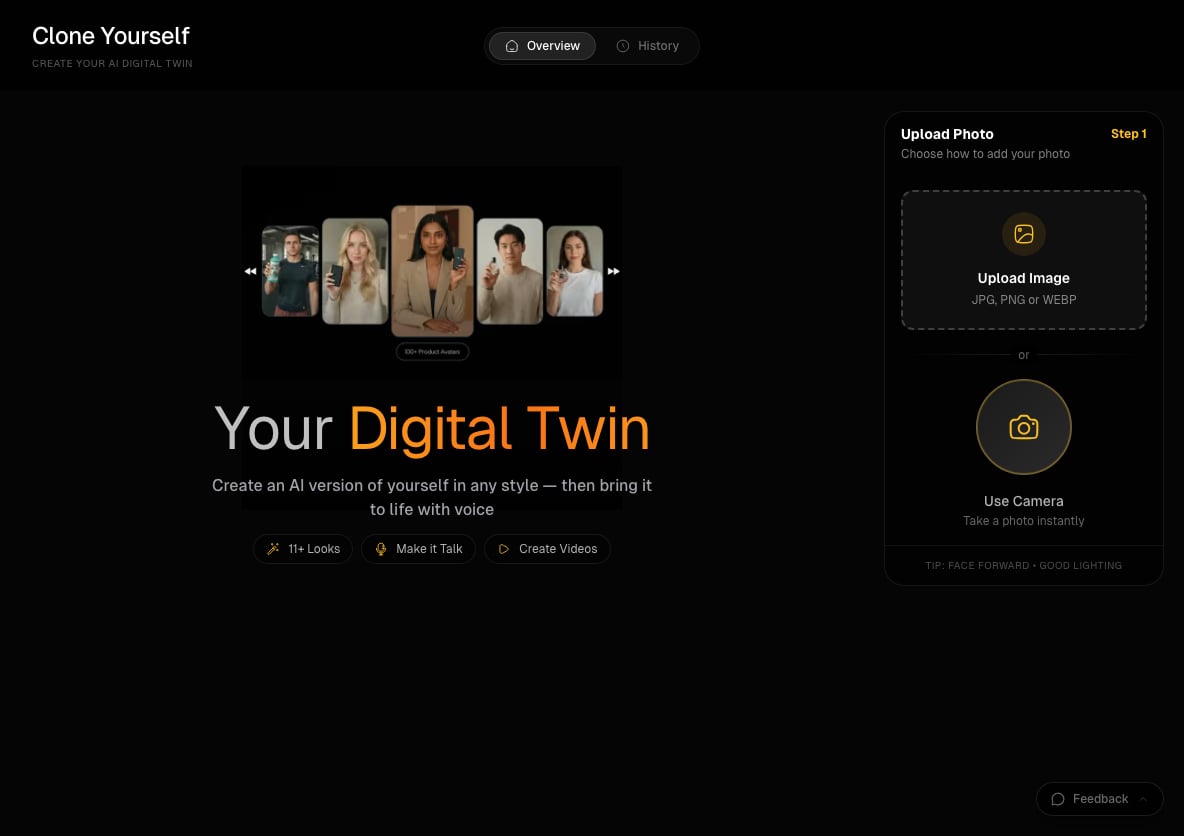
Clone Yourself starts with your photo. The tip under the upload box is Face forward, Good lighting.
The mouth doesn’t move, or the video is silent
Why: the recording has no usable sound. Browsers can record silence when the microphone is blocked or the wrong input device is selected. Percify checks for this before you’re charged. A silent recording is refused with That recording is completely silent or That recording has no audible sound in it. While you record, the app also warns you if it can’t hear anything. Fix:- Allow microphone access for app.percify.io in your browser’s site settings.
- Check that the right microphone is selected as your input device, especially with a headset or external mic.
- Record again and watch the level meter move while you speak.
- Or record in another app and use Upload Audio (up to 10 MB).
The lip movement looks off or out of sync
Why: the mouth follows the sound in your track. Music, background chatter, a second voice or long pauses give it sounds that aren’t your words to follow. Fix:- Use clean speech only. Percify’s own tips are Clear audio without noise and Natural speech pace.
- Trim long silences at the start and end of the audio.
- Keep the audio between 5 and 60 seconds, which the app lists as what works best. Recordings must be at least 5 seconds.
- Try High mode for a sharper render. It costs more and takes longer than Fast.
The face looks wrong or distorted
Why: the photo is animated as it is. Faces turned away from the camera, dark photos and faces that are partly covered give it less to work with. Fix:- Use a front-facing portrait with good lighting. That’s the tip on the upload step.
- Make sure the whole face is visible: no hands, hair or objects over the mouth.
- Try a sharper photo. For large phone photos, Percify resizes them and keeps the orientation for you.
- For more detail, choose High mode and 720p.
The speech is cut off at the end
In the chat on Home, some talking-video models make clips of a fixed 5 or 10 seconds, so a script longer than about 10 seconds of speech (roughly 25 words) can be cut off. Shorten the script, or use Clone Yourself, where the video follows the length of your audio.Other messages you might see
How long does a talking video take?
Longer audio takes longer to render, and a long recording can take 10 minutes or more. You can leave the page. Percify tells you when Your talking avatar is ready. If a video fails or looks stuck, see Generation failed or stuck.Related
Lip-sync a video
How lip-sync works in Percify, step by step.
Clone yourself
Make a talking video of yourself from one photo.
Voice clone issues
Fix a cloned voice that sounds wrong.
Generation failed or stuck
Failed renders and what happens to your credits.