

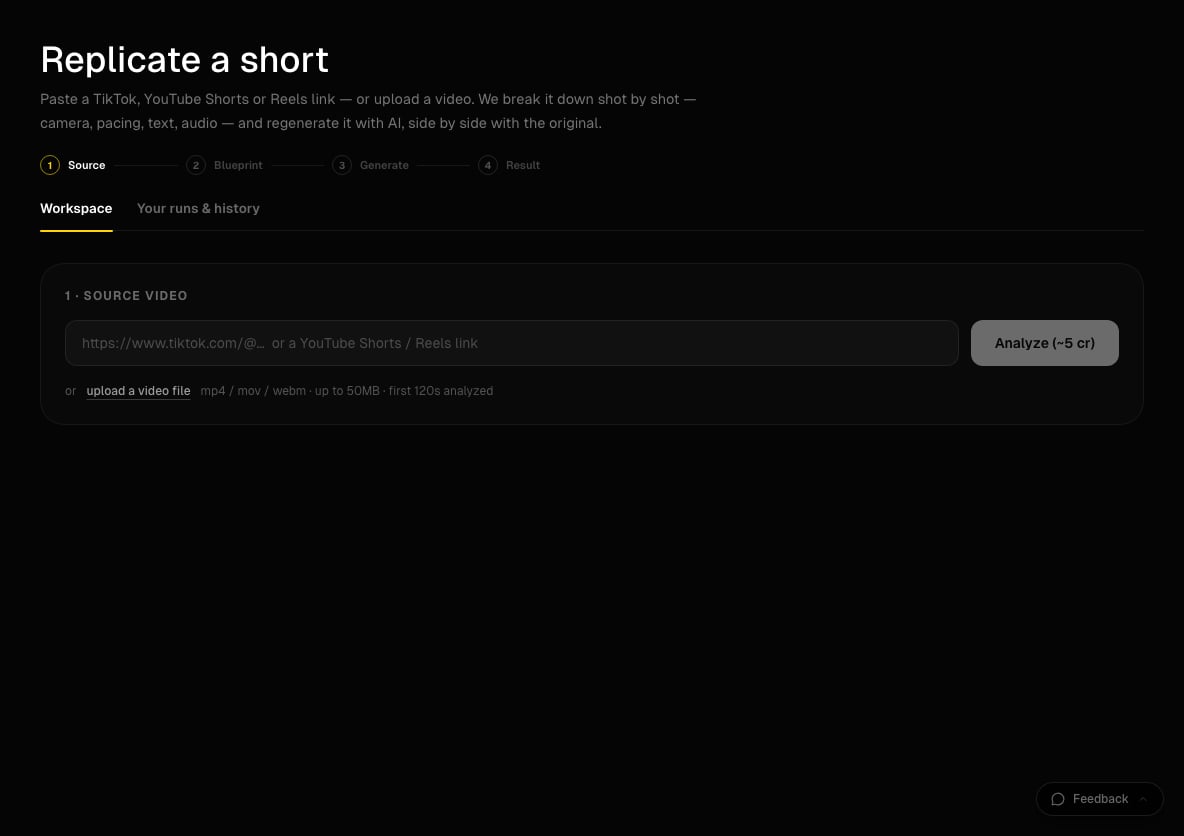
Replicate a short: paste a link or upload a video to start.
What you need
- A computer. Replicate runs in the desktop web app at app.percify.io/home/replicate, and it has a Replicate tile on the Explore page.
- A short under 2 minutes: a TikTok link, a YouTube Shorts or Reels link, or an MP4, MOV or WEBM file up to 50 MB.
- Optional: a photo of the face, character or product you want in the video, and 10 to 30 seconds of clean speech (no music) if you want the lines in your voice.
- Credits. Analysis costs 5 credits; generation is priced per clip (see below).
How to replicate a short
1
Add the source video
Under 1 · Source video, paste the link and click Analyze (~5 cr), or click upload a video file. Analysis usually takes 1 to 3 minutes. When it finishes, you see the shot breakdown.
2
Shape the blueprint
Under 2 · Blueprint you can:
- Type one instruction in the remix box and click Remix all clips to rewrite every clip.
- Under Star in it, upload your face, character or product to replace the original subject, then click Adapt blueprint to it.
- In the cast list, use Swap this one to replace a single character, and Change voice to upload a voice sample for a speaker.
- Pick which clips to generate: all of them, Hook only, or your own selection.
3
Choose how it renders
Pick a model card (for example Closest Replica, Budget Replica, Precision Cuts, Motion Match or Re-imagine), a quality (low, medium or high), a Frame (Full-bleed, Original card or Blurred background) and Audio (Silent, Original, per clip, Original soundtrack, Upload track or Your voice). Optionally tick Burn in the original’s text overlays and Marketing cut.
4
Generate
Click Preview the hook to test the first part cheaply, or Generate full replica. Both buttons show the estimated credits. Each clip usually takes 1 to 3 minutes.
5
Download or share
When “Your replica is ready” appears, switch Text on or Text off, then use Download replica, Download side-by-side or Share, which copies a link anyone can watch. Past runs stay under Your runs & history.
How much does it cost?
Credits for clips that do not finish are refunded automatically. Budget cards cost far less per clip than Closest Replica, so preview the hook on a budget card first when you are testing an idea. See how credits work.
Is there a watermark?
Yes, on this tool only. Every finished replica has a small Percify mark in the top-left corner, as a disclosure that the video is AI-generated. The side-by-side comparison is labelled ORIGINAL and PERCIFY, with percify.io along the bottom. Other Percify outputs carry no Percify watermark.Limits
Tips
- If YouTube or Instagram links are refused with “temporarily unavailable”, download the short and upload the file instead, or use a TikTok link.
- A TikTok or Instagram photo carousel is not a video. Paste a Reel, a TikTok video or a Short.
- Speakers without a voice sample keep their original audio, so you can re-voice one person and leave the other as is.
- Use a clear, front-facing photo for Star in it. A photo rejected by content moderation cannot be used.
Related
Clone your voice
Record a clean voice sample you can reuse.
Make a multi-shot video in seconds
Write several shots in one prompt instead of copying one.
How credits work
Plans, monthly credits and refunds.
Upload failed
Fixes for videos and photos that will not upload.